PDF Export
With the PDF button (see Fig. PDF Button), the current view can be exported as a PDF file. The generated file is saved in the "Download" folder.
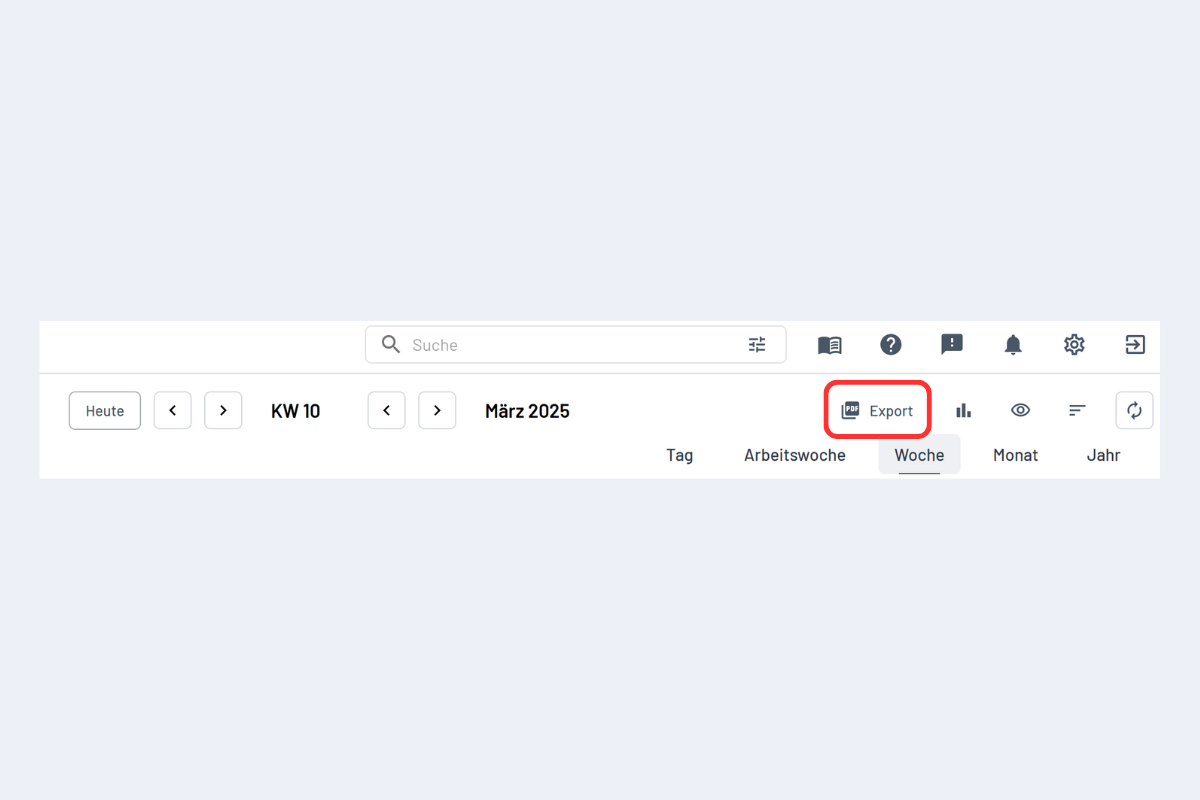
A click on the PDF button opens the following window:
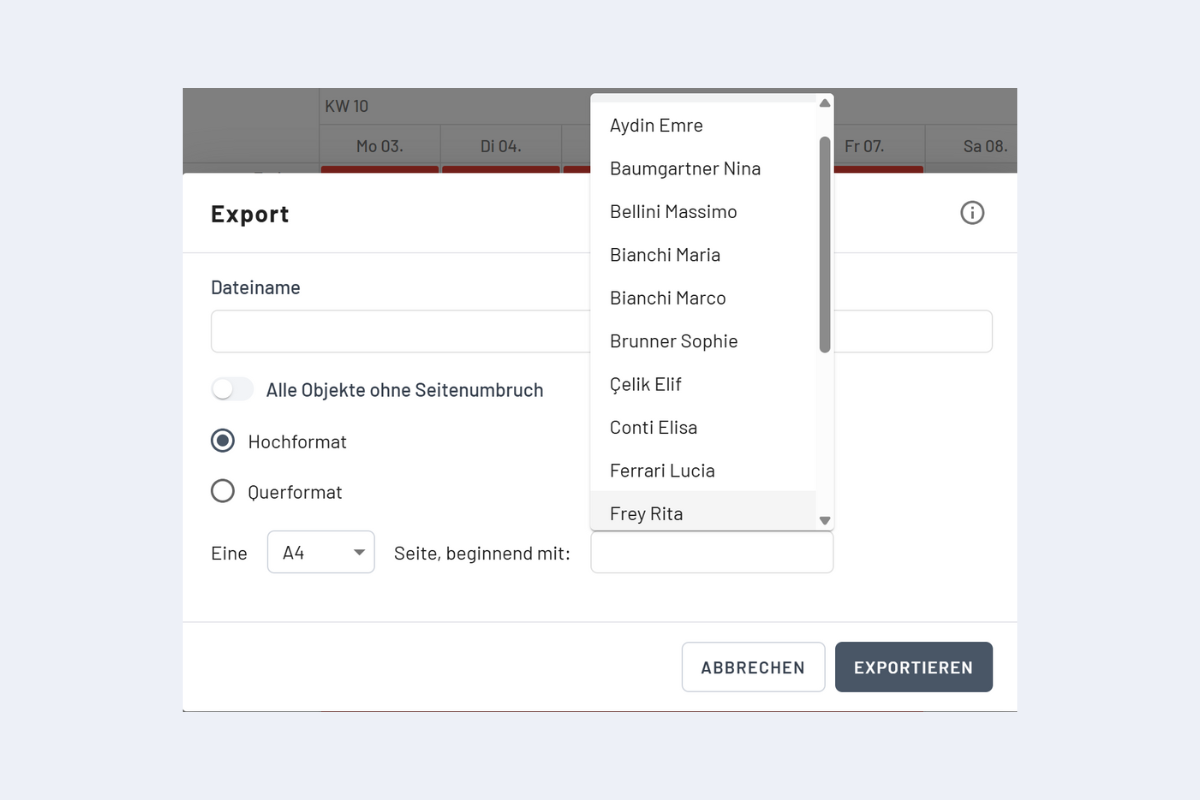
- Filename: The desired filename can be set here. If the field remains empty, the file is saved under the name "planr.pdf".
- All objects without page break: By default, a page break is generated (ideal for printing). If no page break should be created, this option can be activated.
- Starting with: If the export should start from a specific employee, the name can be entered here.
Since automatic splitting into multiple pages is currently not possible, it is recommended to reduce the number of exported entries in advance – for example, by using filters.